Tag: Windows 10

  • Is Windows 10’s built-in security all the free you need?

    Here’s an update to a topic discussed in my January 31, 2019, post “Best PC anti-virus — free or not” and whether Microsoft Windows 10’s built-in Windows Defender is adequate for many PC users.

    PC World > “Windows Security review: There are better options, but not for the ‘price’” – Windows Security (nee Windows Defender) has come a long way by Ian Paul (Dec 12, 2019).

    For years, the attitude towards Windows 10’s built-in security was that it’s a nice idea, but you really shouldn’t rely on it. That stared changing in 2019, with the major testing houses giving Windows Security top marks.

    Could it be true? Can you really ditch your $100 annual antivirus subscription and rely on Microsoft’s native solution instead? Here’s our opinion.

    The current version allows you to run four different kinds of scans, all of which are pretty standard for antivirus.

    For anyone who uses free, third-party antivirus, the new Windows Security offers pretty much all you need. Windows Security also has the added benefit of not harrassing you with notifications to upgrade to a paid product every few days.

    In addition, there’s an option for controlled folder access to keep malicious programs away from sensitive folders. If Windows Security misidentifies an app as unfriendly you can also whitelist it. This section is also where you can set up OneDrive for ransomware data recovery.

    Going back to the settings for Virus & threat protection, you can set up specific folders so they won’t be scanned, and adjust your notification settings.

    Then the App & browser control is where you manage Windows SmartScreen for apps and file downloads, browsing on Microsoft Edge, and the Microsoft Store.

    This section exposes one downside of Windows Security: It doesn’t really do as much as other third-party suites can do for third-party browsers.

    See the full article for commentary on how Windows Defender did in evaluations by testing labs: AV-Test, AV-Comparatives, SE Labs.

    From these results we can gather that Windows Security is highly cloud dependent for malware detection, and probably isn’t up to the job if your PC spends a good amount of time disconnected from the internet. It also means there are still far better choices for protection despite Windows Defender’s top ranking.

    Windows Security offers good protection, but if you look at the testing comparisons to other suites, there are still better options. Nevertheless, Windows Security has come a long way and should continue to improve its basic protection and detection capabilities.
  • Best antivirus protection for Windows 10

    UPDATE OCTOBER 19, 2019: “The best antivirus protection of 2019 for Windows 10 – Your PC needs protection against malware, and free antivirus software may be enough. Here’s the best antivirus protection to get for Windows 10, and what’s worth paying extra for” by Clifford Colby (October 19, 2019). CNET’s “best” recommendations stand from last August (below).

    I’ve previously noted PC World’s annual recommendations for PC anti-virus protection. Yesterday (August 3, 2019), Cnet posted their recommendations for Windows 10 PCs: “The best antivirus protection of 2019 for Windows 10 — Your PC needs protection against malware, and free antivirus software may be enough. Here’s the best antivirus protection to get for Windows 10, and what’s worth paying extra for.”

    Quick summary:

    • Best free antivirus: Microsoft Defender.
    • Best subscription antivirus: Norton 360 Deluxe.
    • Best on-demand malware removal: Malwarebytes (free version) – paid version permits automatic scheduled scans as well as other features.

    The Cnet article includes other tips for protecting your privacy and keeping your PC secure, as well as a summary of other PC anti-virus products (and discusses the situation regarding Kaspersky Lab’s product).

  • Windows 10 Fall Creators Update rollout

    We’ll explain why Windows 10’s Fall Creators Update is worth your time in our review. Here’s what’s different this time around: There’s new hardware, too.

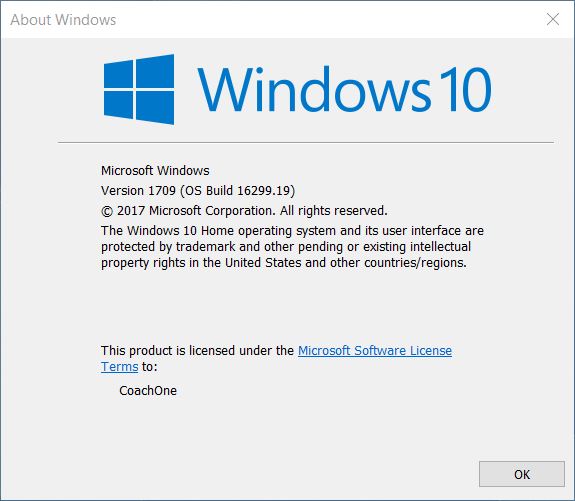
    PC World today shared the news that Microsoft is rolling out the Windows 10 Fall Creators Update: “Windows 10 Fall Creators Update review: This could be Microsoft’s biggest Windows yet.” As in past Updates (which install like entire new editions of Windows 10, as large downloads with extended install times), there’s a way for early adopters to grab the Update now, while most of us will get it over time like other monthly Windows updates.

    Update: The Windows 10 Fall Creators Update is now available, and can be manually downloaded/upgraded via the Windows 10 Upgrade Assistant. Otherwise, Microsoft will automatically push the FCU to all PCs in a series of waves that should last for a few weeks. 

    Microsoft’s Windows 10 Fall Creators Update is what every sequel shoots for: bigger, better, more ambitious than the original. As it rolls out in phases starting Tuesday (see Microsoft’s blog post for details), our review focuses on Windows’ big, risky bet on mixed reality, plus smarter investments in the pen, creative 3D apps, Edge, and even speech. A ton of practical, everyday additions won us over, including OneDrive placeholders and much longer battery life while watching movies.

    See the full article for what’s new and what’s changed.

    PC World has separate articles for various aspects of the Update. For example, “Hands on with Windows 10’s Story Remix, the new tool to make your photos pop” covers the new Remix app.

    Microsoft’s Story Remix was expected to be one of the highlights of the Windows 10 Fall Creators Update, and it lives up to that promise, combining the existing, excellent Photos app with a video and slideshow editor that adds transitions, music, and even fantastic 3D animations.

    It’s worth noting, though, that Story Remix and Photos exist (for now) within a sort of odd, yin-yang duality where both apps co-exist. If you choose to open or edit a file within Photos via File Explorer, Windows will open the “traditional” Photos interface. But if you simply launch the Photos app, the Story Remix interface will open. Interestingly, there also seems to be no way to transition between the two interfaces within the app itself.

    There’a also a separate slideshow: “The Windows 10 Fall Creators Update’s best new features.

    Feature update version
    W10 Fall Creators Update

  • Windows 10 Fall Creators Update — privacy tweaks

    In this PC World article “Windows 10 Fall Creators Update will add helpful privacy setting tweaks,” senior editor Brad Chacos notes that:

    Privacy concerns have plagued Windows 10 since its launch. It’s no surprise: The operating system is designed to ensnare you in Microsoft’s services, and you can’t stop it from sending Microsoft basic telemetry data about your device. But Microsoft has been working hard to assuage the concerns, and on Wednesday it announced enhanced privacy settings coming in October’s Windows 10 Fall Creators Update.

    While such disclosure by Microsoft may well be a step forward, any new privacy agreement is hardly something that “mere mortals” will likely parse and ponder. But any settings that can limit data collection or the degree of such collection might be worth the effort and time investigating.

    How companies collect, store, and share personal information via the purchase and use of their products and services is concerning. Even when such items are “free.”

  • Windows 10 Fall Creators Update — notable features

    Have you installed the Windows 10 Creators Update on your PC yet? In my lab, I’ve installed the Creators Update on a variety of Windows 10 PCs, from cheap or midrange to powerful quad core models and from 7 year old to 2016 models.

    This PC World article “The 11 most intriguing Fall Creators Update features in Windows 10 Build 16215” covers Microsoft’s ongoing rollout of new features this year for Windows 10.

    … Microsoft just revealed a service pack’s worth of additions as part of Windows 10 Build 16215: dictation, predictive typing, a “Find My Pen” mode, full-screen Microsoft Edge, and tons more.

    Essentially, Microsoft appears to be bringing some of what’s best about Windows 10 Mobile (which received a few bug fixes) to the Windows 10 desktop, improving the way in which Windows uses pens and camera input, and adding literally dozens of small refinements across the board, including elements of Microsoft’s new Acrylic UI.

    Why this matters: Build 16215 points toward a Fall Creators Update that will bring a lot of welcome improvements and flesh out features that have remained minimal so far. Microsoft’s blog post lists dozens of changes, so we’ve picked 11 especially cool features you definitely need to know about.

    Read the full article for the highlights of the latest release.

    Update June 29, 2017: PC World posted this slideshow of “The Windows 10 Fall Creators Update’s best new features.”

    The feature-packed Windows 10 Creators Update hasn’t even hit every PC yet but Microsoft’s already taken the wraps off of its successor.

    Microsoft unveiled the uninspiringly named Windows 10 Fall Creators Update during Build 2017, and it will most likely hit Windows 10 PCs (including Windows 10 S devices) this September. Here’s a look at the most noteworthy new goodies you’ll find in the next massive Windows 10 iteration, including a potentially wonderful new feature just revealed by Windows 10 Insider Preview Build 16232.